PixClever
FASHION, BEAUTY & IMAGE CREATION

Seedream 5.5 Uncensored

Give your imagination a distinctive look with Seedream 5.5 Uncensored. Shape expressive beauty portraits, evening editorials and outfit concepts with clear prompts and visual references.

Image studio

Your next image starts here
Choose your creative engine
Your canvas

Generated image will appear here

Creative examples from Seedream showcase pages; output depends on the selected model.

THE CREATIVE EDITFASHION STORIES / 01—04

Explore four visual directions for Seedream 5.5 Uncensored, from oversized beauty details to complete evening scenes. Give each concept a subject, a palette and a reason to stand out.

Beauty Details That Own the Frame

Beauty Details That Own the Frame

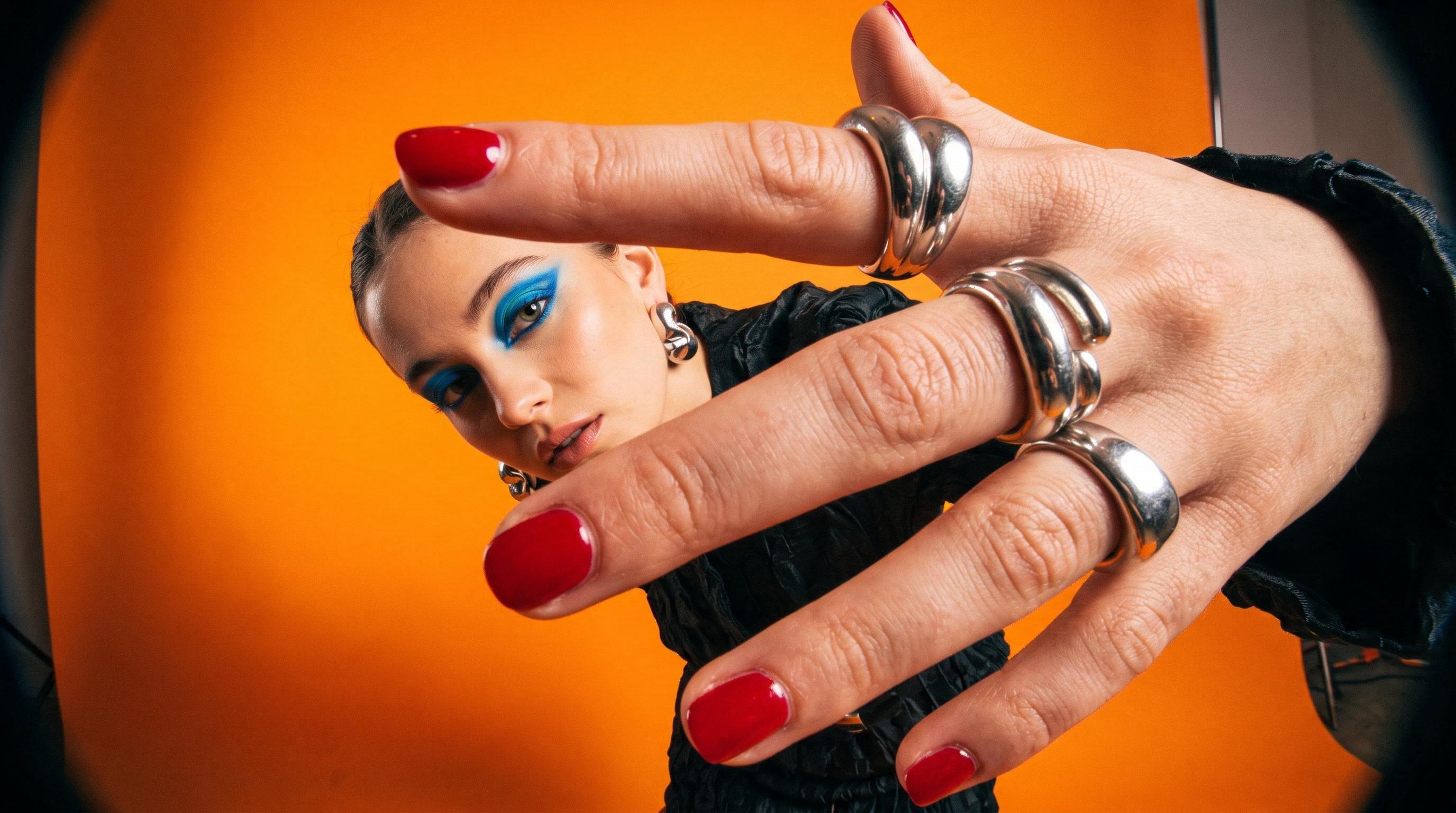
Build a beauty concept around sculptural silver rings, cherry-red nails and electric-blue makeup against a tangerine backdrop. Seedream 5.5 Uncensored brings attention to expressive composition and natural texture; use this fashion image generator direction to explore bold scale, close framing and an unmistakable color story without crowding the image.
Eveningwear With a Story to Tell

Eveningwear With a Story to Tell

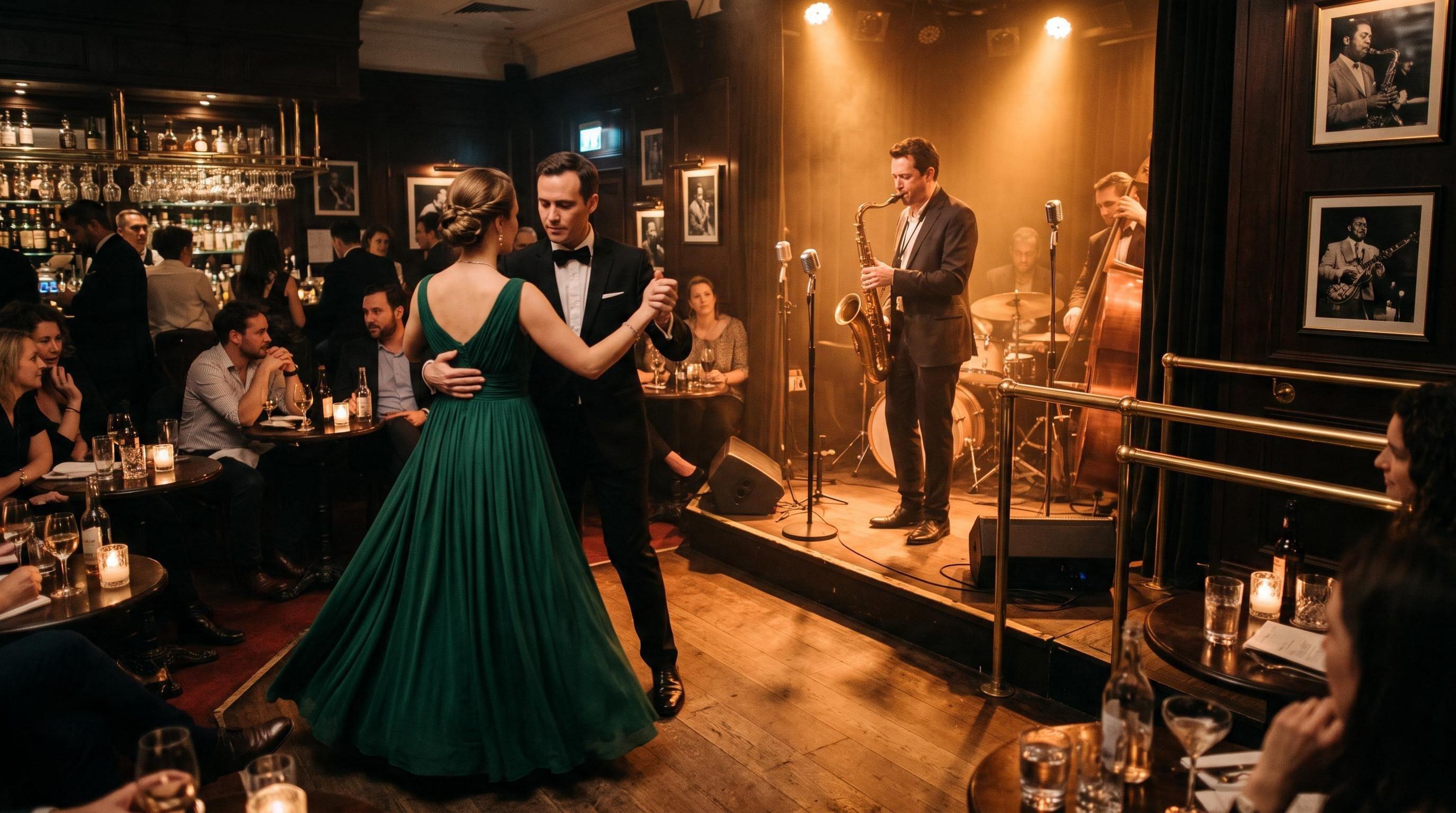
Move beyond a plain backdrop with a sweeping green gown, a tailored suit and the warm atmosphere of a jazz bar. Give Seedream 5.5 Uncensored a clear relationship between clothing, people and light, then describe how the fabric should fall. The setting becomes part of the styling, rather than an afterthought.

Wind, Silk and Golden-Hour Light

Wind, Silk and Golden-Hour Light

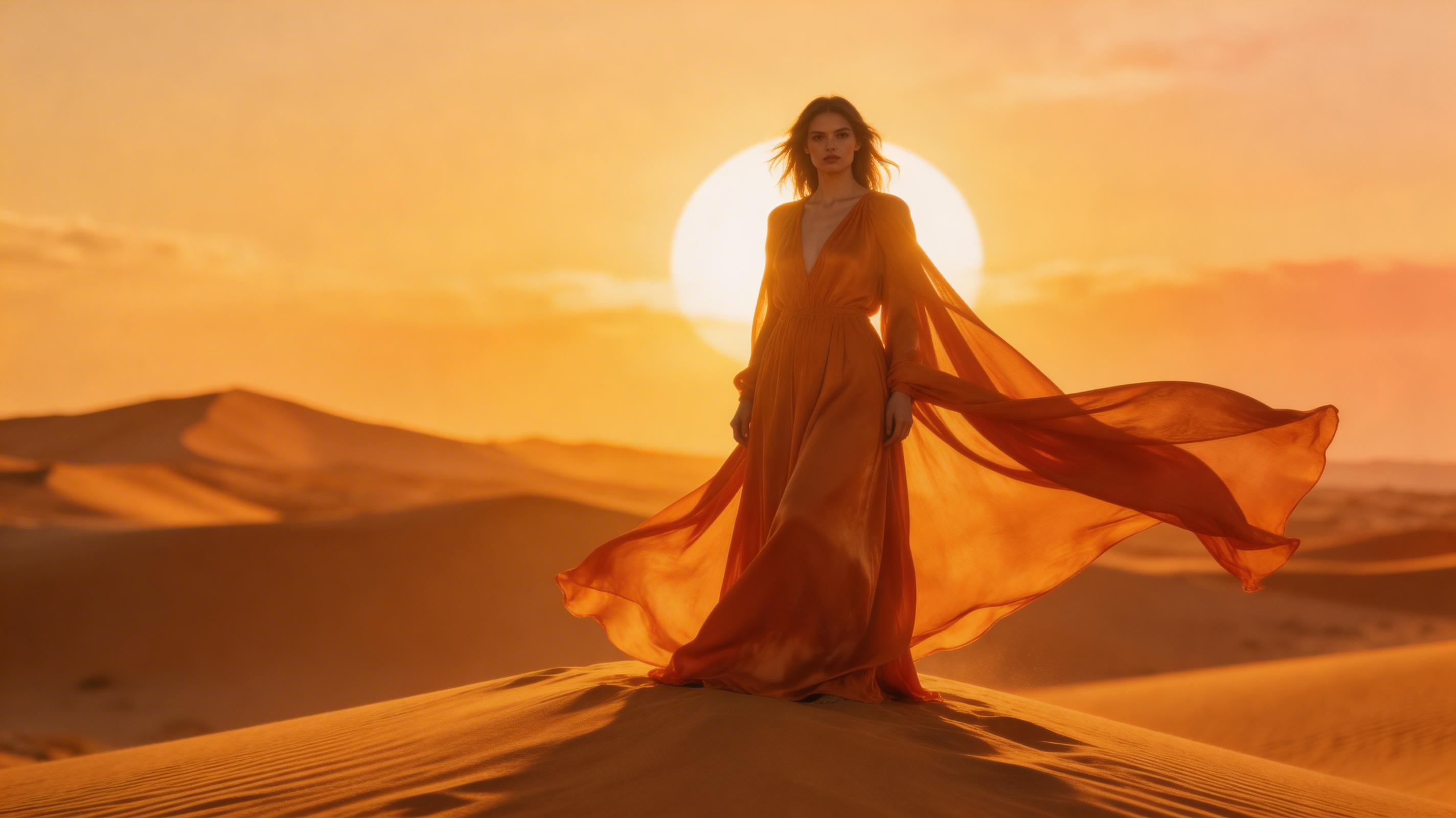
Develop a fashion portrait around a flowing orange silk gown, sunlit dunes and a deliberate lighting direction. Seedream 5.5 Uncensored encourages a more specific brief: describe the fabric movement, the subject's expression and the balance between figure and background. Use your AI portrait editor reference to guide the look while exploring fresh compositions.

One Direction, Several Outfit Ideas

One Direction, Several Outfit Ideas

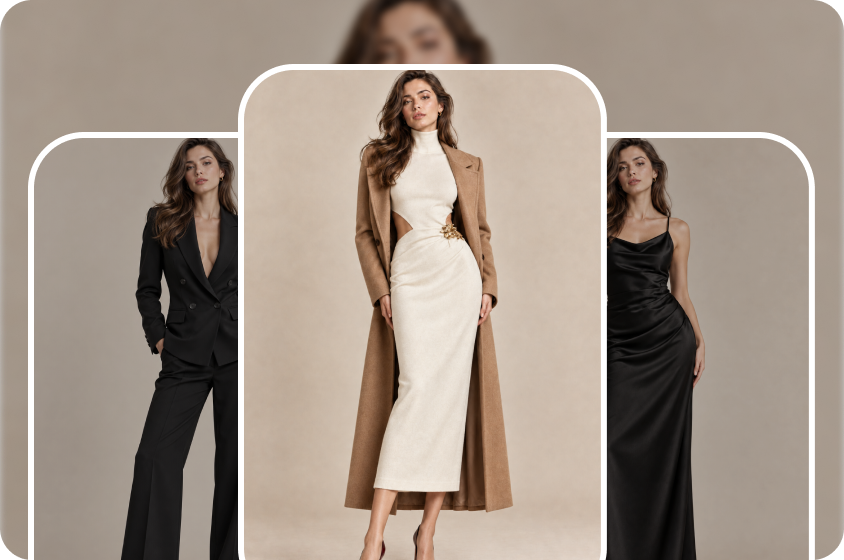
Compare a black tailored suit, a cream dress with a camel coat and a satin evening look within one coherent styling direction. For Seedream 5.5 Uncensored outfit briefs, specify the face, pose and backdrop you want to preserve. Describe the clothing changes separately so you can judge silhouette, material and color together.

FROM BRIEF TO FINISHED IMAGE

Build Your Seedream 5.5 Uncensored Brief

Compose, generate and review your image.

  1. Choose a Starting Point

    Select a model in the studio, then choose Text to Image for a new concept or Image to Image for reference-led work. For a Seedream 5.5 Uncensored brief, describe an adult subject, clothing, setting and mood. If you upload a reference, explain whether it guides the face, outfit or overall composition.

  2. Set the Frame and Direction

    Use 16:9 for a wide editorial or 3:4 for a portrait when those options are shown. Start at 2K and choose 4K if your selected model offers it. Write one precise change per revision, and name the expression, garment details or background elements that should remain consistent.

  3. Inspect, Refine and Save

    Generate your image, open the result and check eyes, fingers, jewelry and fabric seams at full size. Refine the most important detail first, then download the returned image in its supplied format. Keep your Seedream 5.5 Uncensored brief beside the saved result so the next variation starts with a clear reference.

Why Choose Us

Make Seedream 5.5 Uncensored Ideas Count

Make useful creative decisions with deliberate references.

A Brief You Can Actually Evaluate

Compared with a vague request for a beautiful image, a named subject, light source and material give you concrete details to compare. Build your Seedream 5.5 Uncensored prompt around those choices, then decide which result best matches the original direction.

More Useful Revision Decisions

A focused edit gives you a clearer comparison than rewriting the entire scene at once. Seedream 5.5's selected-area editing makes that approach especially relevant: keep a preferred version, change one detail and inspect nearby textures before accepting the revision.

Think Beyond a Single Background

Seedream 5.5's transparent-asset direction opens possibilities for reusing decorative elements across layouts. For a Seedream 5.5 Uncensored project, plan the final background early and check which export options your selected model provides before building a composition around transparency.

Beauty Teams Can Compare Color Stories

Give a makeup concept a controlled palette and inspect how shadow, shine and skin texture work together. Seedream 5.5 Uncensored briefs can help a beauty team discuss a specific look, while the fashion image generator approach keeps accessories and styling tied to the same direction.

Lookbook Editors Can Test the Sequence

Plan a close portrait, a full outfit and an environmental image as a coordinated set. Use Seedream 5.5 Uncensored to develop the visual brief, then review whether color, framing and wardrobe tell a coherent story when the images sit beside one another.

Accessory Designers Can Keep Details Central

Give a ring, bag or statement earring a clear visual role instead of letting it disappear into the styling. An AI portrait editor brief can identify the accessory's shape, finish and position, helping you compare the final image against the intended design.

BEFORE YOUR NEXT IMAGE

Seedream 5.5 Uncensored Questions

Practical answers for your next fashion image.

Does Uncensored mean every prompt is accepted?

No. Seedream 5.5 Uncensored is the creative theme of this page, rather than a guarantee of unrestricted generation. Prompt acceptance depends on the selected model and applicable content rules. Describe the visual result clearly and use reference images you have permission to upload.

Which image shape should I choose for clothing?

A 3:4 portrait leaves room for a standing outfit; 16:9 gives a person more surrounding context. Choose the crop before generating your Seedream 5.5 Uncensored concept. Ask for the full garment, hands and shoes inside the frame if those details matter to the styling.

How should I handle words inside an image?

Put the exact wording in quotation marks and describe its position, size and reading order. For a Seedream 5.5 Uncensored fashion cover, start with one short English headline. Read every letter in the finished image and keep essential campaign copy separately editable.

Why can a reference-led edit still change a face?

Reference images guide the result but do not guarantee an exact match. Use a clear, unobstructed face and avoid conflicting appearance instructions. Compare the eyes, jawline and expression after each change; return to your preferred saved version if a later edit drifts.

Will every download have a transparent background?

No. A transparent-looking backdrop does not prove the saved file contains transparency. Check the selected model's export options and inspect the downloaded image over both light and dark backgrounds. Keep an opaque version too when your project needs a complete scene rather than an isolated element.

How do I keep a useful record of variations?

Save each preferred image with its prompt, model name, aspect ratio and resolution. Number revisions by the change you requested, such as lighting, coat color or accessory placement. This makes a Seedream 5.5 Uncensored concept easier to revisit without relying on memory or repeating discarded choices.